Hey there, firefighters 🧑🚒 Here's what's shipped for you this week!
🔐 Self Service Authenticated Status Pages#self-service-authenticated-status-pages
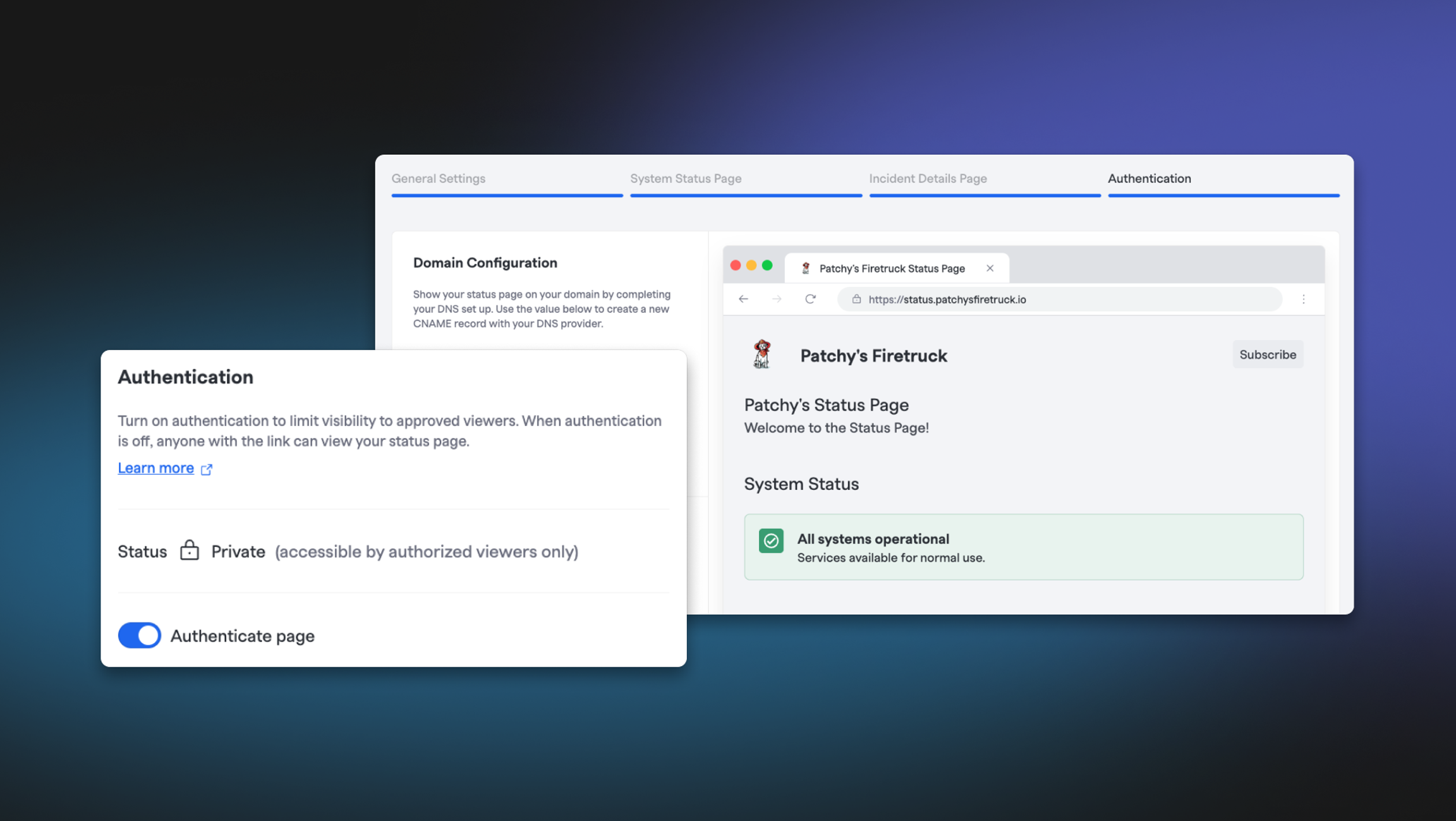
Setting up status pages is now easier than ever with a rebuilt preview workflow and self-service OIDC configuration for authenticated pages. Whether you're protecting internal status pages or creating secure customer-facing communications, you now have complete control over who sees what — and setting it up is a breeze.
Streamlined Configuration with Live Preview Flow#streamlined-configuration-with-live-preview-flow
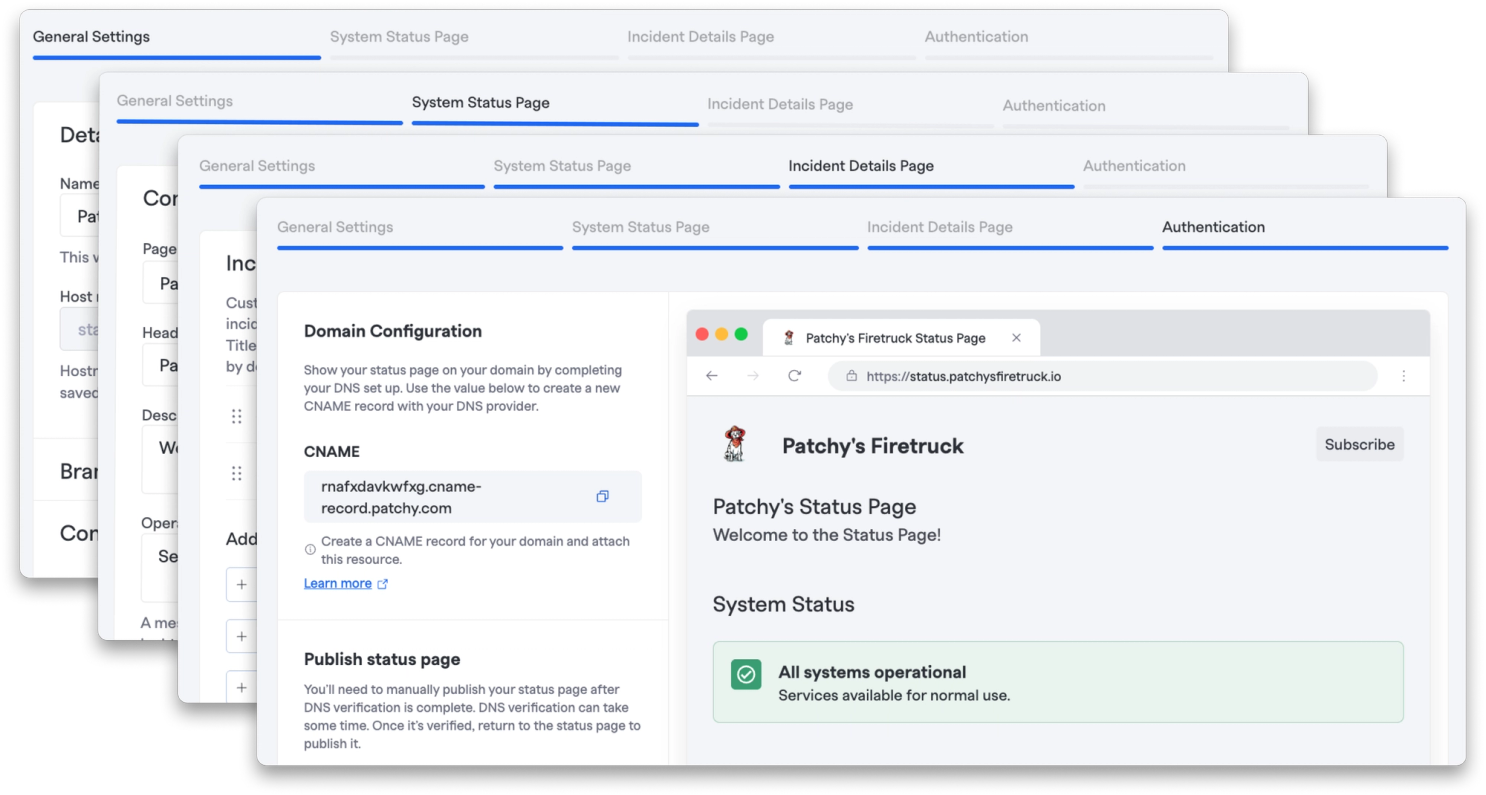
We've rebuilt the setup experience from the ground up to make it clearer and more intuitive. See exactly how your status page will look and behave before you publish it. Verify the design, and catch issues early.
Self-Service OIDC Setup#self-service-oidc-setup
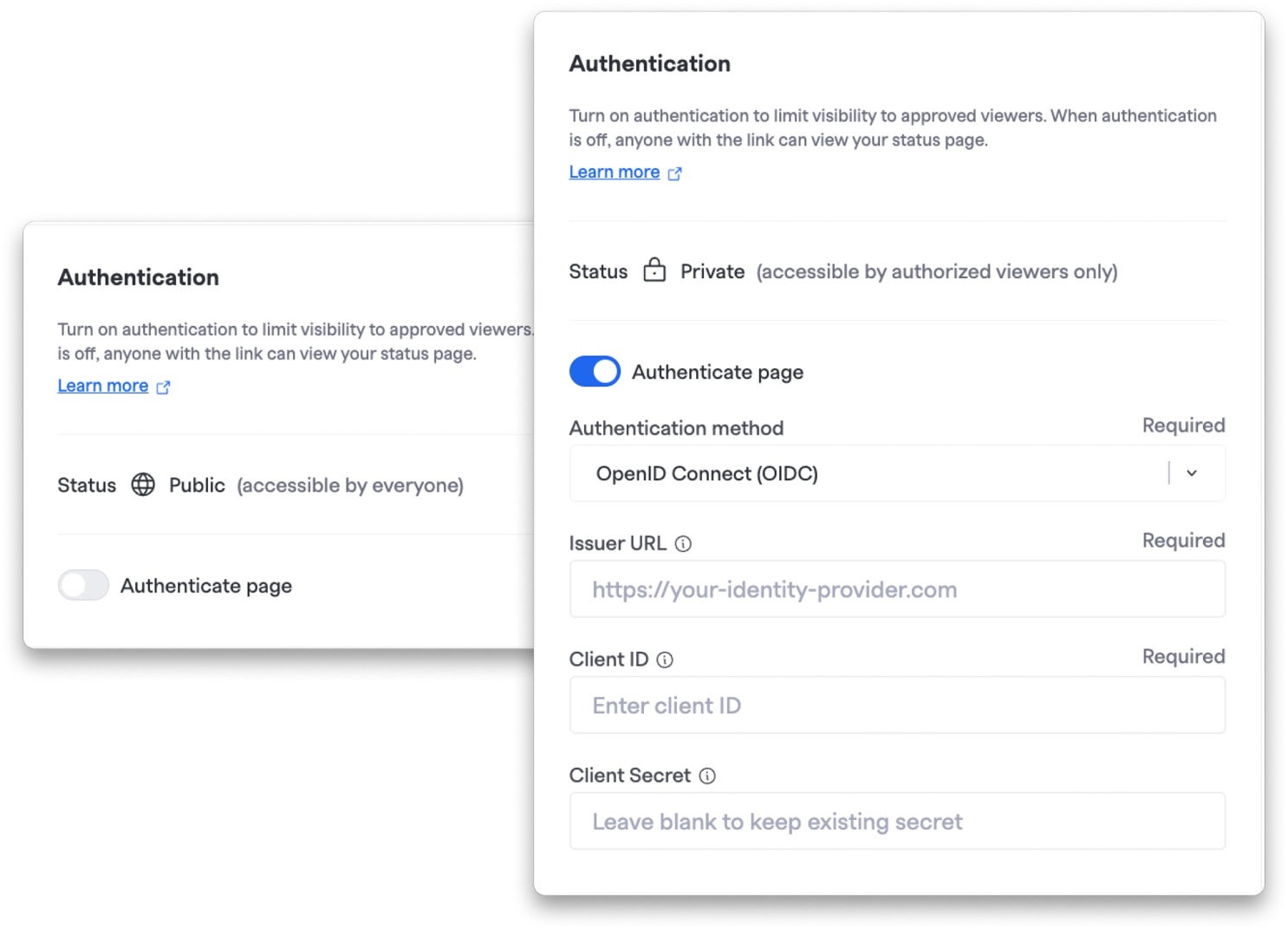
Configure authentication for your status pages directly in FireHydrant using industry-standard OIDC protocols — no support tickets, no back-and-forth, just straightforward setup on your terms.
Updated Overview Table#updated-overview-table
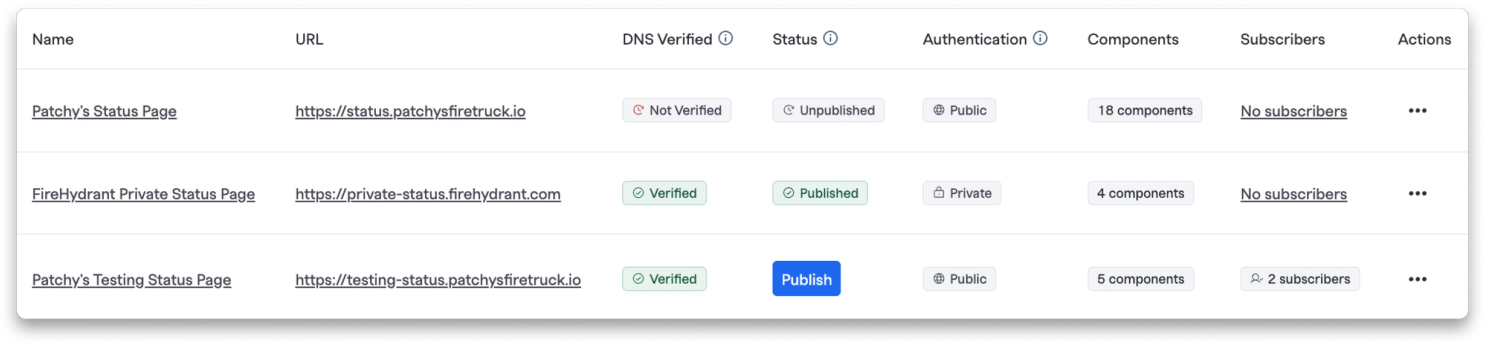
You can now view the status of all your existing status pages directly from the overview table. See which pages have verified DNS entries, are authenticated, and which are ready for publishing.
Check out our documentation to learn more about the new configuration flow.
💅 Improvements#improvements
Clickable Integration Health Filtering: The Integration Health Status popover now includes clickable filter badges, letting you quickly filter integrations by status (All, OK, Warning, Error). Your filter selection persists across sessions, and individual health checks within each integration automatically match your selected status.
Better Context in Coverage Gap Notifications: Coverage gap notifications (both Email and Slack) now include the Team Name, making it crystal clear which team's rotation needs attention.
Disable Coverage Gap Notifications: You can now select "None" from the coverage gap notification interval dropdown to completely disable notifications for specific rotations when they're not needed.
🐛 Bug Fixes#bug-fixes
Retrospective PDF Exports: Fixed an issue where AI incident summaries appeared blank in exported retrospective PDFs. PDFs now properly include your audience-based summaries.
Mobile Sound Preview: Fixed the stop button on sound previews in the mobile app so you can actually stop a sound after it starts playing.
That's all for now! As always, if you have any questions or feedback, our team is here to help.