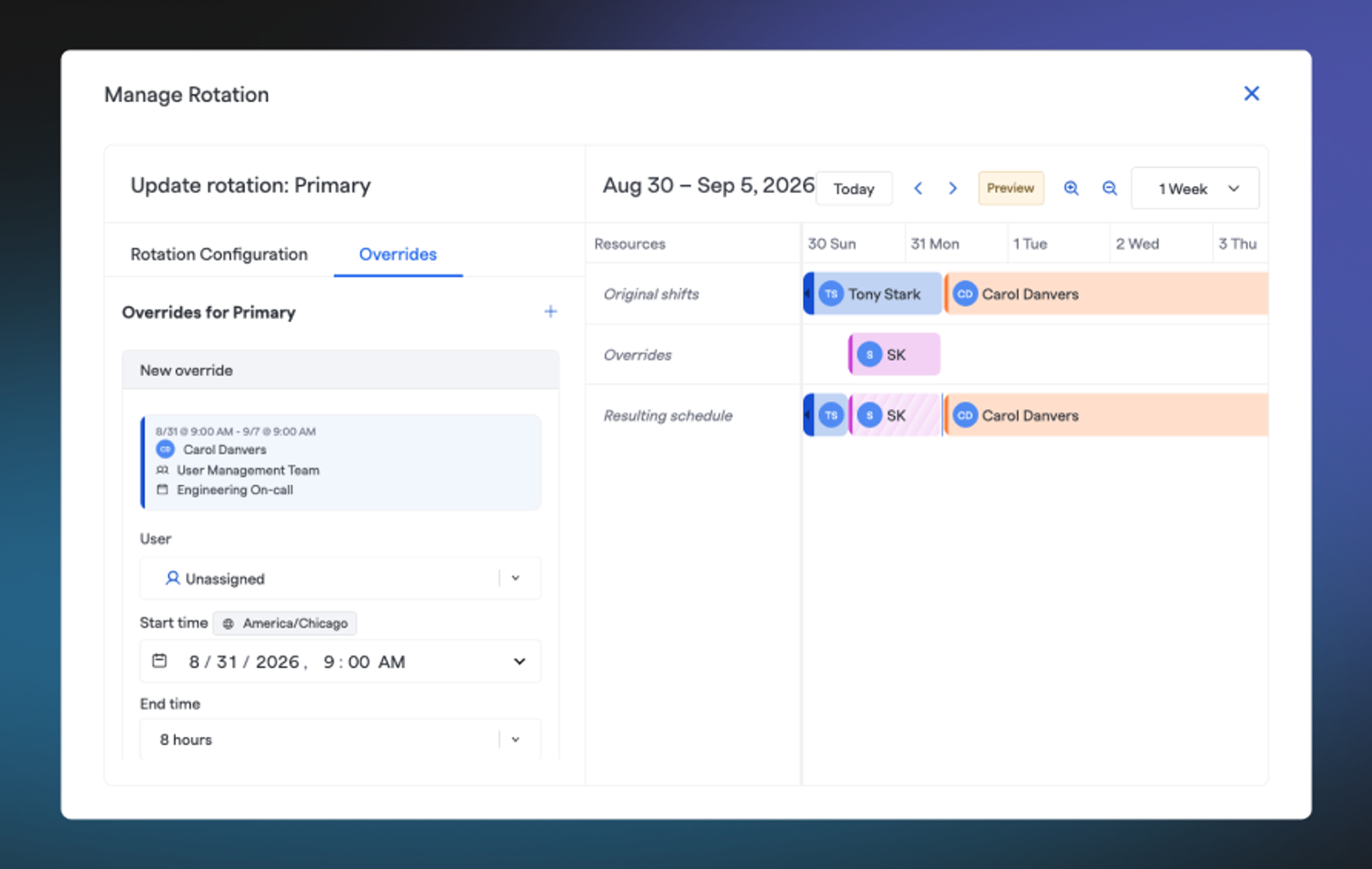
Editing an on-call schedule used to replace prior edits to on-call shifts, which meant any overrides your team had already set up (someone covering a vacation, a swap between two engineers, a temporary reassignment) were silently lost. Admins learned to avoid touching a schedule once overrides were in place, and engineers couldn't fully trust that coverage they'd arranged would actually hold.
What's new#whats-new
- A dedicated Overrides view. Manage overrides for a rotation from the new Manage Rotation → Overrides tab, see all of a team's active overrides from the team's on-call details tab, and spot overrides at a glance on the calendar because they're visually distinct from generated shifts.
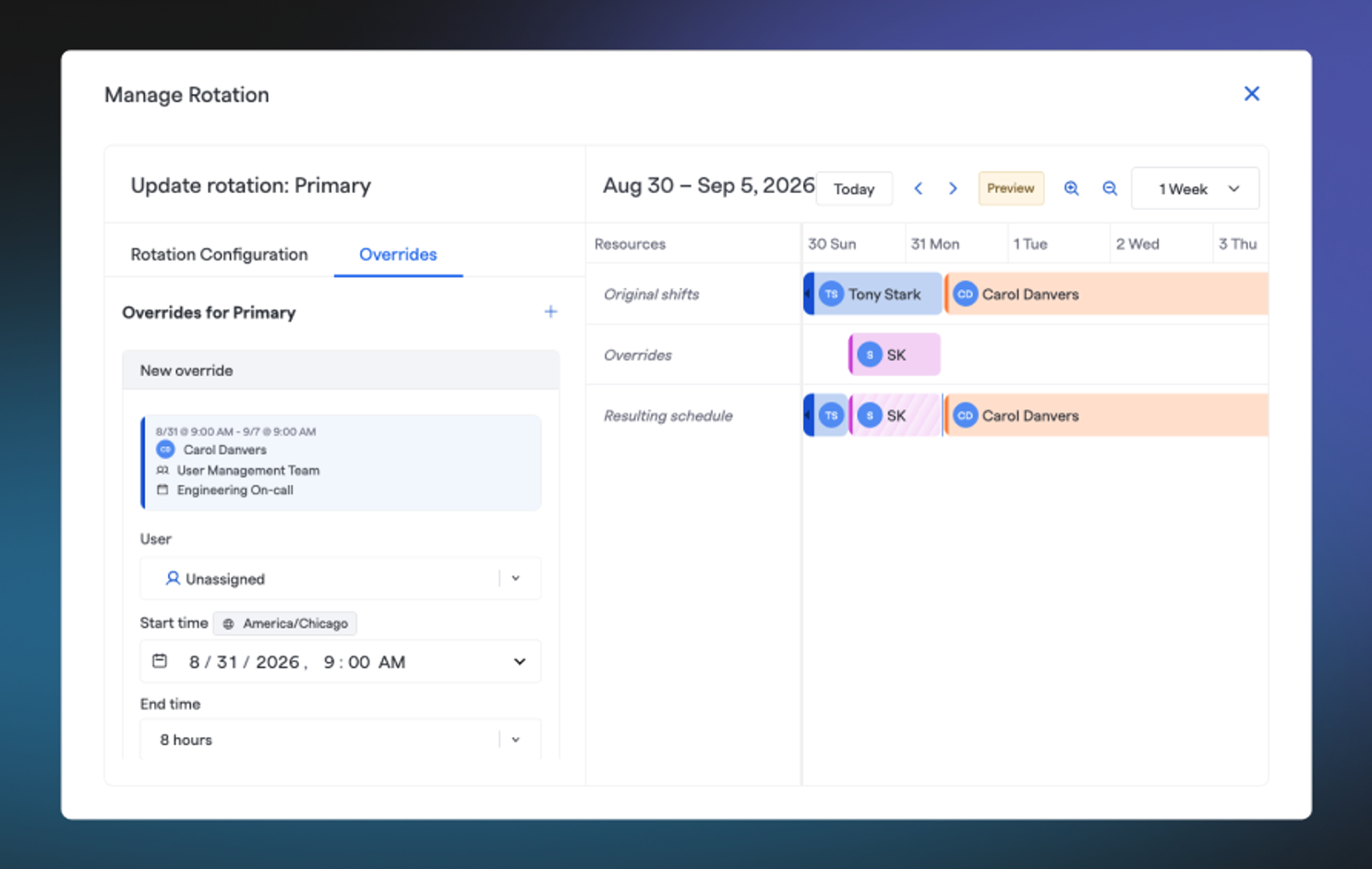
- Overrides survive schedule edits. Whether a schedule is changed from the Web UI or the API, any active overrides are automatically carried forward and reapplied on top of the newly generated shifts.
- Overrides always take precedence. If a generated shift and an override overlap, the override wins so no more re-checking after every schedule change.
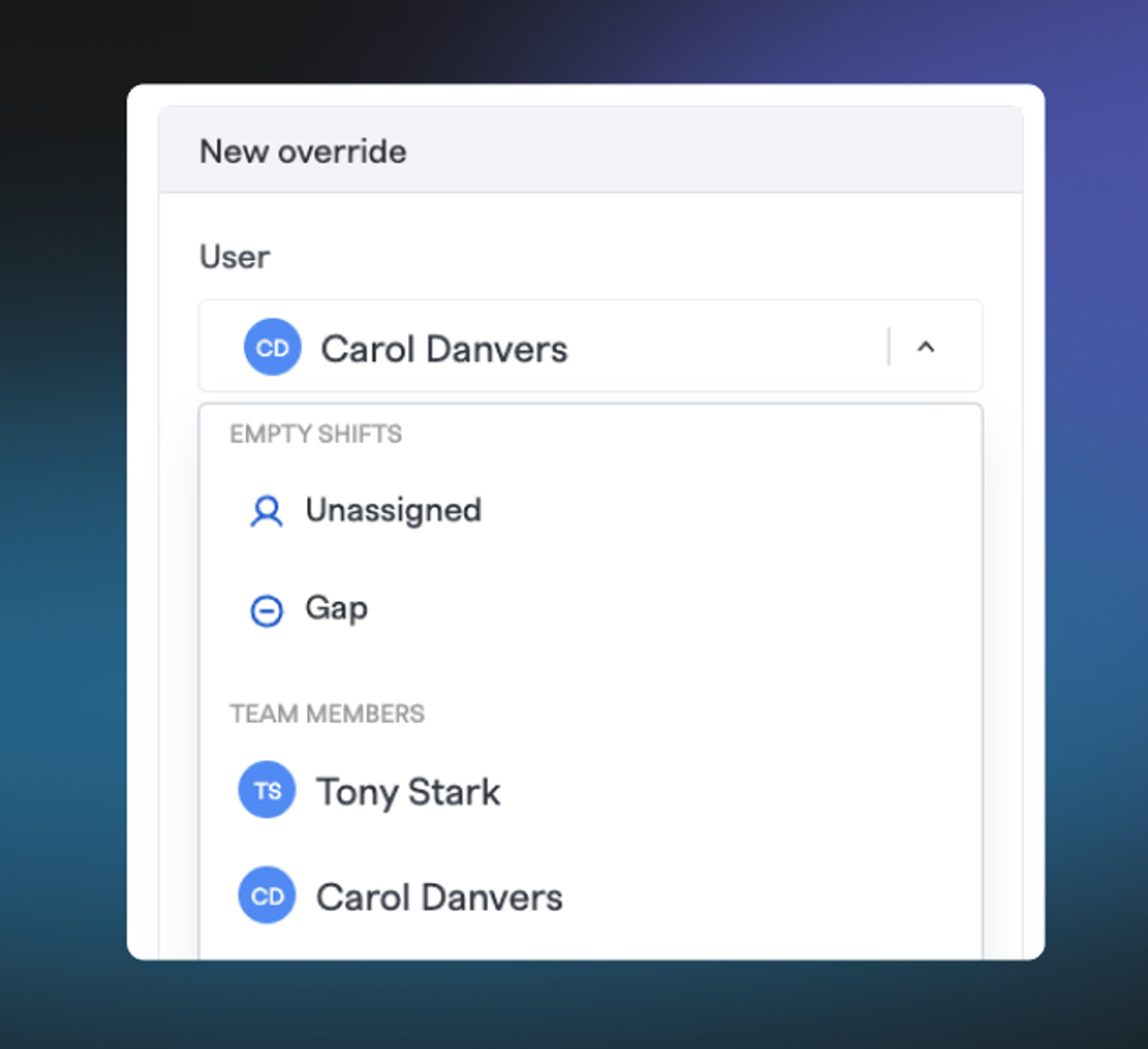
- Three ways to override a shift. Assign it to a specific person, mark it Unassigned to open a coverage request to the team, or mark it a Gap to intentionally leave a window uncovered.
- Overrides are now the only way to change a shift. Reassigning a shift, requesting coverage for it, and deleting it no longer touch the generated schedule directly — they all create an override instead, which is why they can always be cleanly undone.
- Stack Overrides. You can create multiple overlapping overrides. The resultant schedule takes into account the time at which the override was created, so you can revert a newer override and still maintain a previously created override.
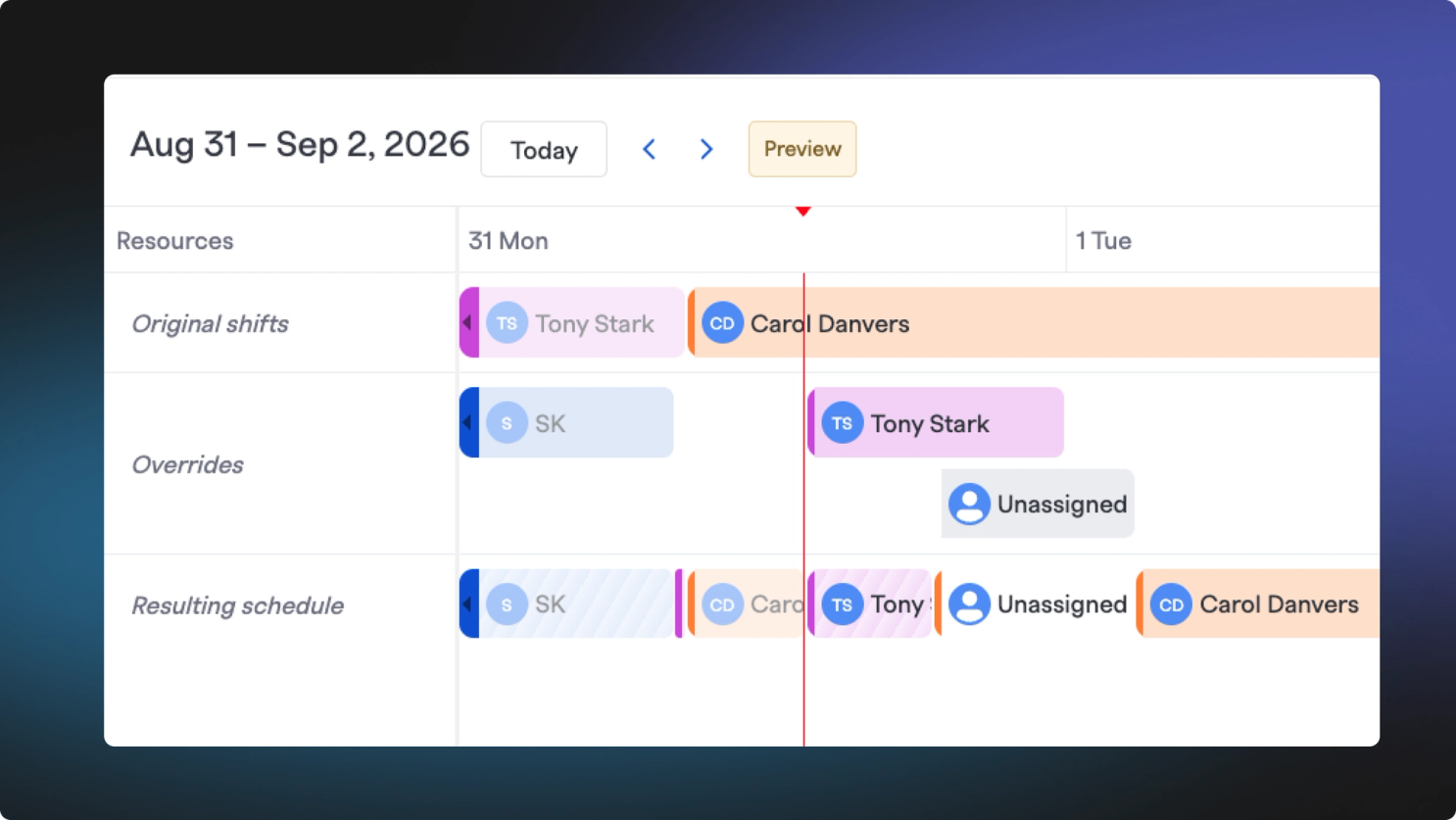
- Cancel anytime. The override owner or a team admin can cancel an override at any time, which restores the original, system-generated shift for that window. You can also clear every override on a rotation at once when reconfiguring it.
A note on older rotations#a-note-on-older-rotations
Overrides depend on FireHydrant knowing what the original shift looked like so it can be restored later. That data has only been tracked since July 24, 2026, so any rotation that hasn't been regenerated since then isn't ready to use overrides yet.
If you open the Overrides tab on one of these rotations, you'll be walked through a one-time regenerate rotation flow before you can create or manage overrides on it. It’s a simple confirm the responders rotation order and effective date/time, then confirm the regeneration.
Regenerating a rotation replaces its shifts going forward, so any overrides created before July 24, 2026 will not carry over and will need to be recreated afterward.
See our documentation for On-Call Schedules for the full rundown on creating, editing, and overriding shifts.