Hey there, firefighters 🧑🚒 We've been busy this past month! Here's what's new:
📄 Customize Your Retrospective Exports#customize-your-retrospective-exports
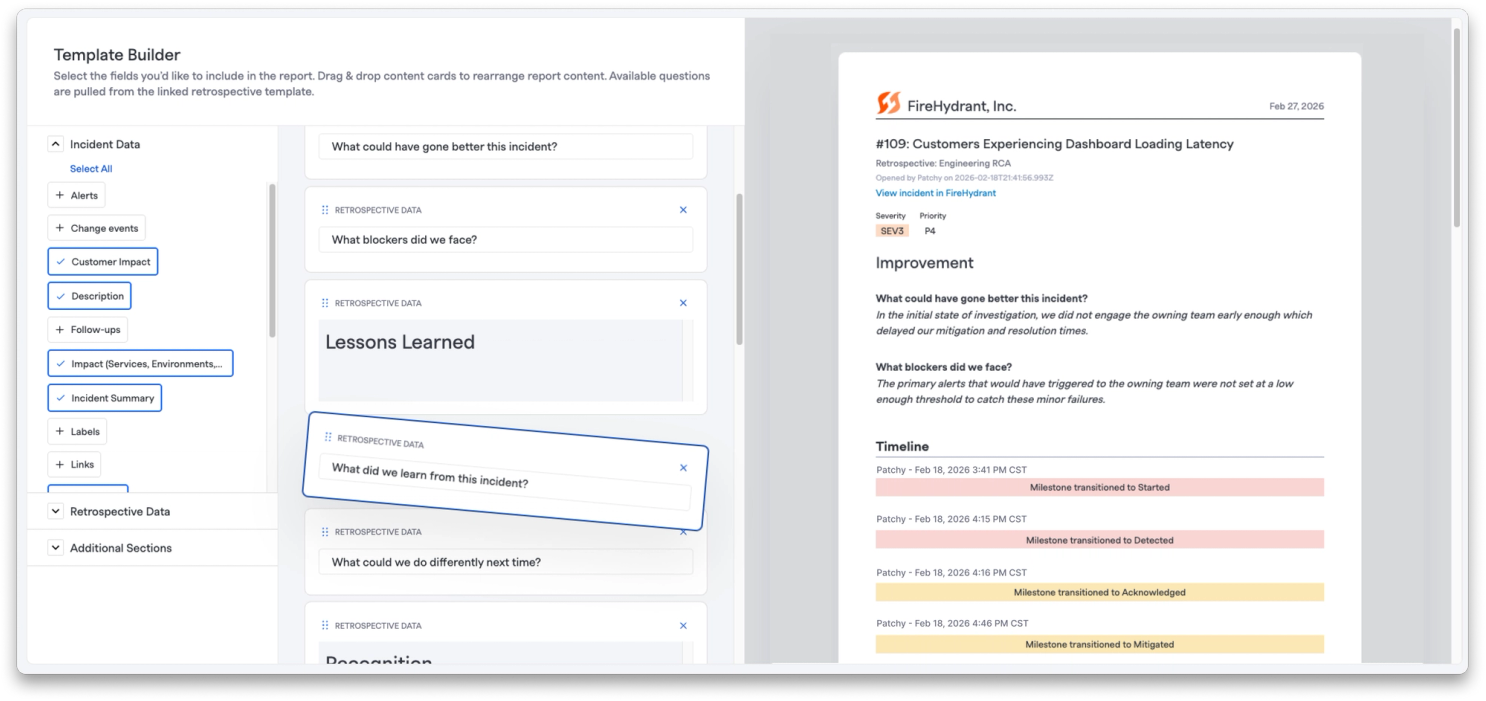
You can now take full control of how your retrospectives export. Set custom templates for each retrospective type and format your exports exactly how your team needs them, whether you're sharing with leadership, compliance teams, or using them for internal documentation.
What does this mean for you?
Flexible configuration: Configure export templates to match your organization's standards.
Retrospective-specific export templates: Each retrospective template can have its own export template.
Incident specific customization: Format specific incident retrospective exports if they need to be formatted differently than your standard template.
🎨 Redesigned Incident Header#redesigned-incident-header
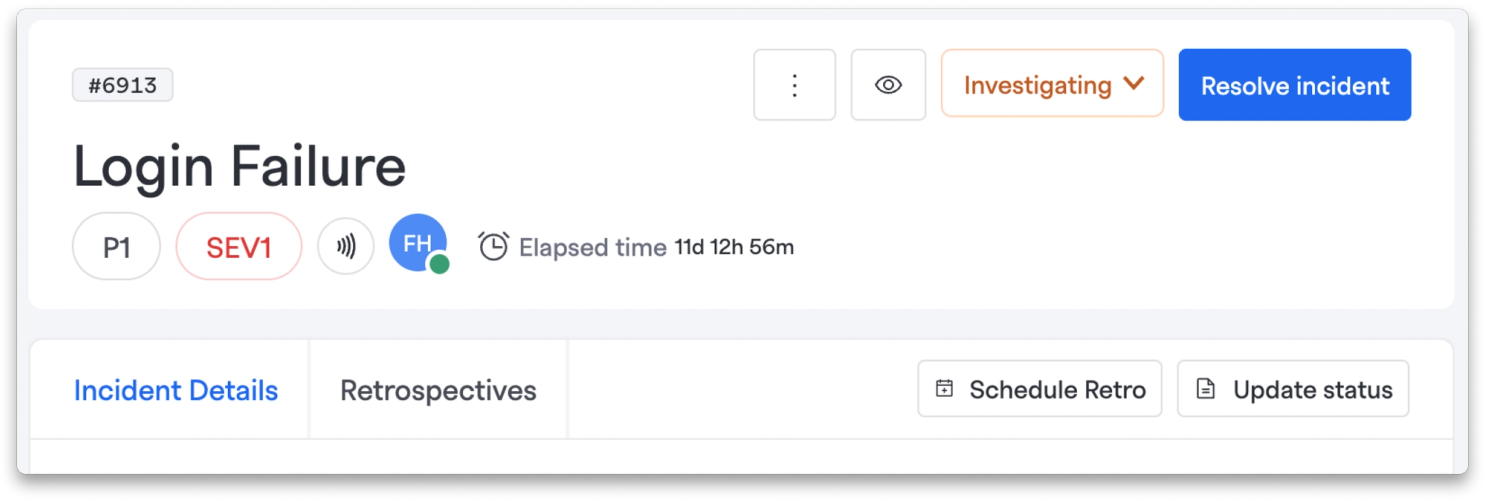
We've streamlined the incident interface to help you focus on what matters most during an active incident.
What does this mean for you?
Better action grouping: Milestone selector now lives in the top right alongside other incident update actions.
Quick-access details: Priority, severity, and essential incident information stay right under the title.
Cleaner navigation: Replaced the switcher bar with a tab layout that creates more space for incident details.
Contextual actions: Action buttons are now positioned closer to the content they affect.
🔥 Incident Management Updates#incident-management-updates
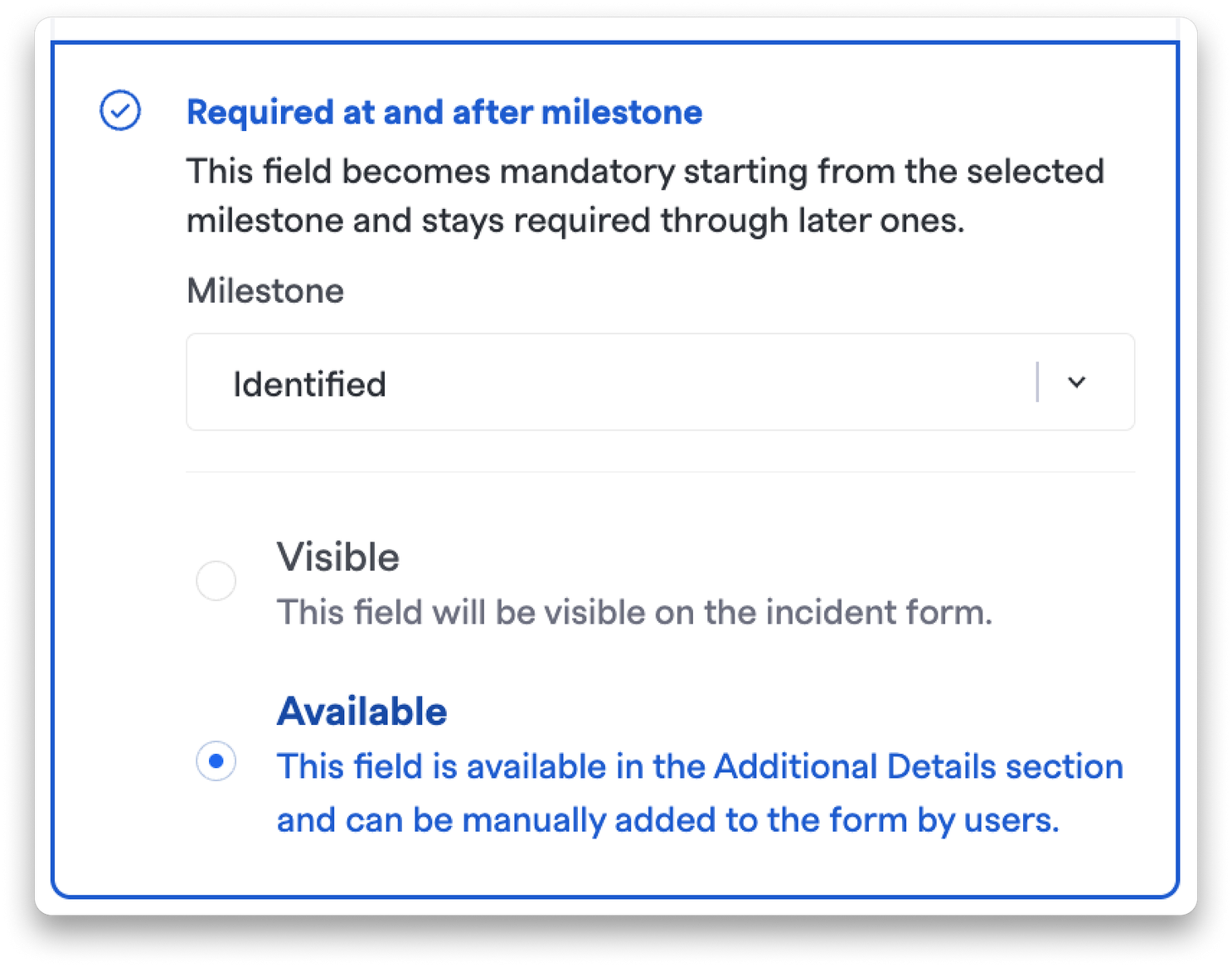
Flexible Incident Field Configuration: Incident fields that are required after certain milestones (but not at declaration) can now be set to "Available" instead of forced "Visible" in the declaration form. This keeps your declaration form clean while still making important fields accessible in Additional Details.
Smarter Timeline Loading: Fixed a bug where the incident timeline wouldn't load additional events when scrolling, and resolved a performance issue causing unnecessary re-renders.
Better Related Incidents Detection: AI-powered related incident detection now includes incident titles and tags alongside summaries when checking similarity, making it easier to find relevant ongoing incidents.
API Enhancement: Public API show endpoints for teams and catalog resources (services, environments, functionalities) now accept either slug or UUID for lookups.
🚨 Signals & Alerting Improvements#signals-and-alerting-improvements
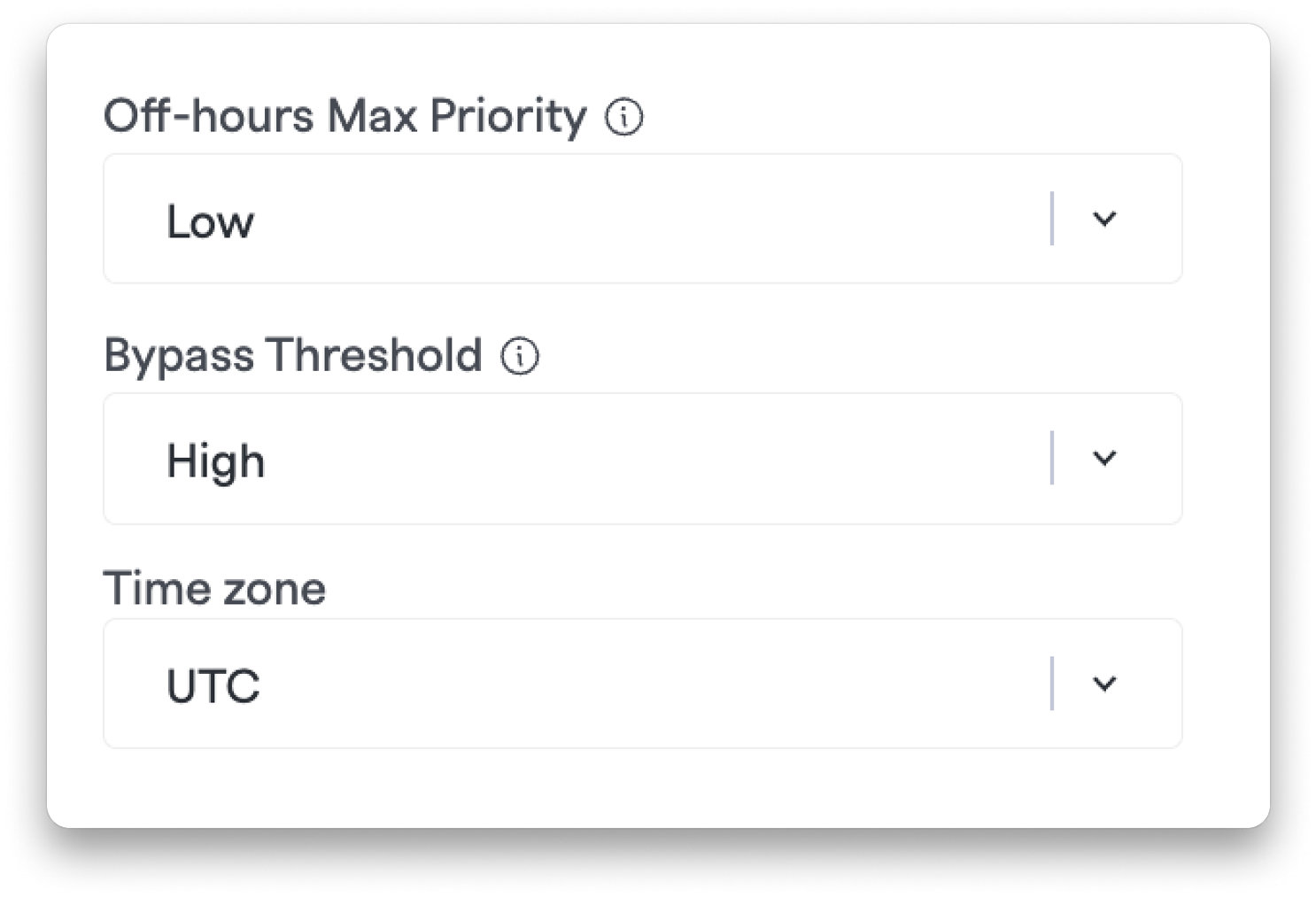
Bypass Support Hours for Critical Alerts: Configure a priority threshold on your support hours schedule to ensure critical alerts always get through. Alerts at or above your threshold skip support-hours downgrades entirely and dispatch at their original priority—no matter the time or shift window.
Better Email Alert Diagnostics: Email ingestion validation errors (like sender not in allow list) now appear in the Signal Ingest Errors log, so you can self-diagnose why emails aren't creating alerts.
Improved Paging with Context: Pages sent from Slack now include Zoom meeting links, conference bridges, and incident Slack channel information. Slack channel links now open directly in the native app instead of your browser.
📱 Mobile App Enhancements#mobile-app-enhancements
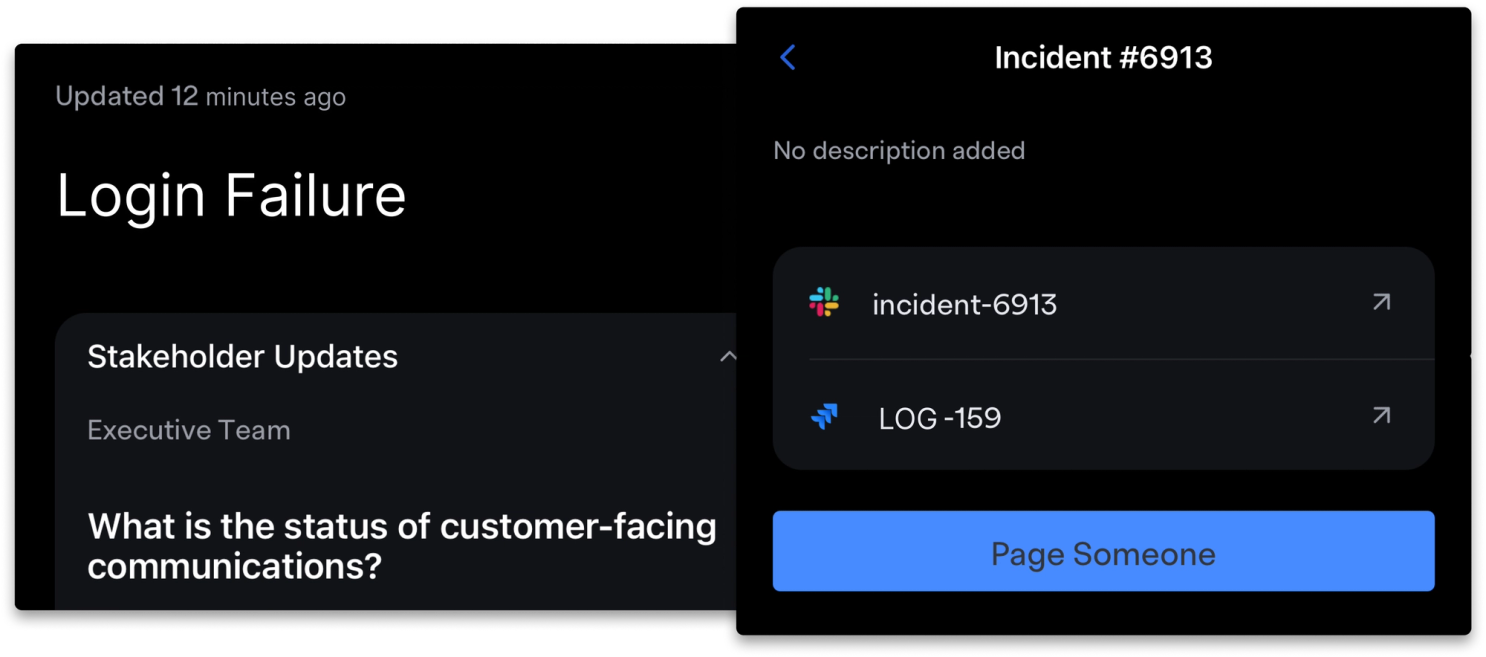
Audience Summaries on Mobile: View AI-powered incident summaries tailored to your default audience right from the incident detail page. Stakeholder-specific updates are now available in a collapsible "Stakeholder Updates" section.
Streamlined Paging from Incidents: Page someone directly from any incident screen in the mobile app. The paging form now automatically fills in incident context (summary, severity, status, and link), and created alerts are attached to the incident—just like the web app.
Reliable Quick Actions: Notification quick actions now consistently open the app and navigate to the target alert, even when the app is closed.
🗓️ On-Call Scheduling Improvements#on-call-scheduling-improvements
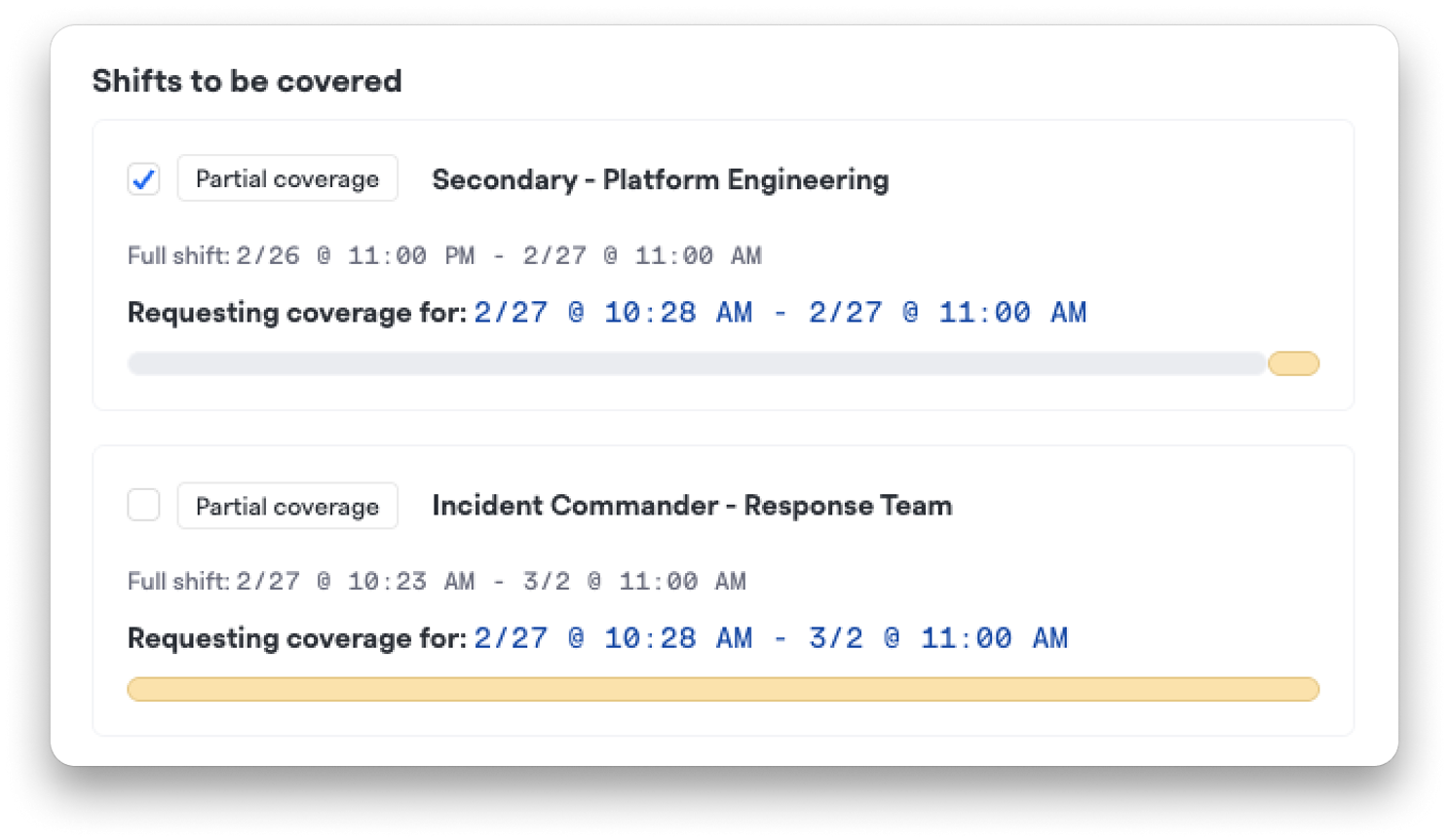
Select Specific Shifts for Coverage Requests: Instead of requesting coverage for all your shifts, you can now pick exactly which ones you need covered. The coverage request drawer defaults to all covered shifts but gives you full control to customize.
Better Calendar Visibility :When viewing shifts "by user," the calendar now assigns consistent colors per person instead of using schedule colors, making it easier to track who's on call at a glance. Long rotation names also now display properly without text wrapping issues.
Improved Shift Notifications: Fixed a bug where "shift claimed" Slack notifications weren't sent when someone partially claimed a coverage request with custom start or end times.
6-Month Schedule Viewing: Added a helpful warning indicator when viewing schedules beyond 6 months to clarify that shifts are pre-generated and rotations continue as configured.
Netherlands Voice Call Support Added support for the Netherlands (NL) as an available country for voice call routes with mobile number acquisition.
💅 Other Improvements & Bug Fixes#other-improvements-and-bug-fixes
Status Pages
- Resolution emails now include custom notes added during resolution, matching update email behavior
- Fixed a bug where unsubscribe links in status page emails would show success but not actually unsubscribe users
Signals & Notifications
- Long escalation policy names no longer overflow their containers in the alerts list
- Notification policy compliance now immediately recognizes newly verified phone numbers
- Warning messages now appear when medium or low priority notifications aren't configured
- Priority fields now properly hide in incident messages and status commands when toggled off globally
Incident Fields & Forms
- Drag-and-drop is now disabled for Add-on and Hidden incident fields—only "Shown by default" fields can be reordered
- Fixed pagination displays that showed invalid ranges when metadata was missing
- Empty-value filtering now works for incident types and custom fields across the incident reader, API, and analytics
Data Exports
- On-call shift CSV exports now properly encode Polish characters and special characters with UTF-8 support
Retrospectives
- Better mobile responsiveness for retrospective sections
UI Refinements
- Filter tables now allow empty date ranges
- Expired alert events now render in the timeline
- Minor UI improvements in on-call scheduling and responder controls
That's all for now! As always, if you have any questions or feedback, our team is here to help.