Hey there, firefighters 🧑🚒 Here's what's changed recently and what's coming soon!
📊 Consolidated Analytics Pages#consolidated-analytics-pages
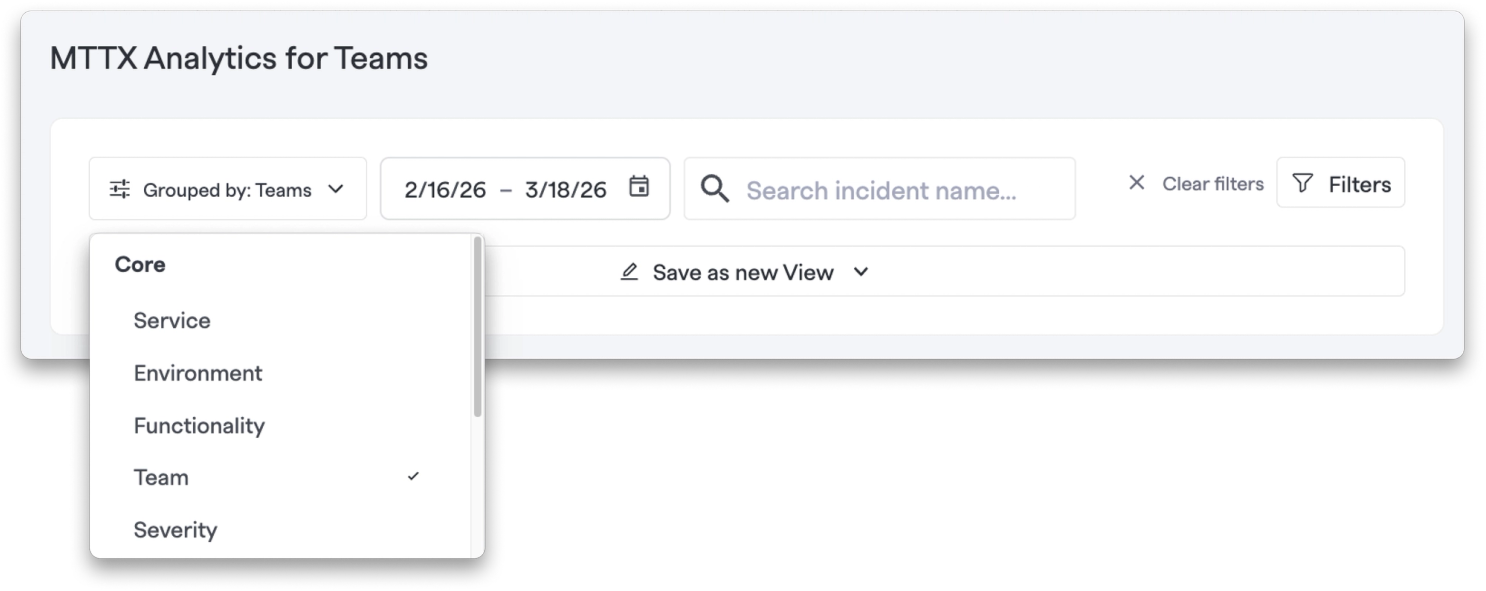
As of March 31, 2026, we're sunsetting the Incidents and Impacts and Resources and Tasks pages and consolidating their functionality into the MTTX Analytics tab.
Why the change?
- Clearer reporting on key metrics like MTTA, MTTD, MTTR, and more
- Better filtering to find exactly what you need
- Real-time incident visibility — see the incidents powering your dashboard as they happen
- Continued improvements as we focus our analytics efforts on this single dashboard
✨ Copy Retrospectives to Markdown#copy-retrospectives-to-markdown
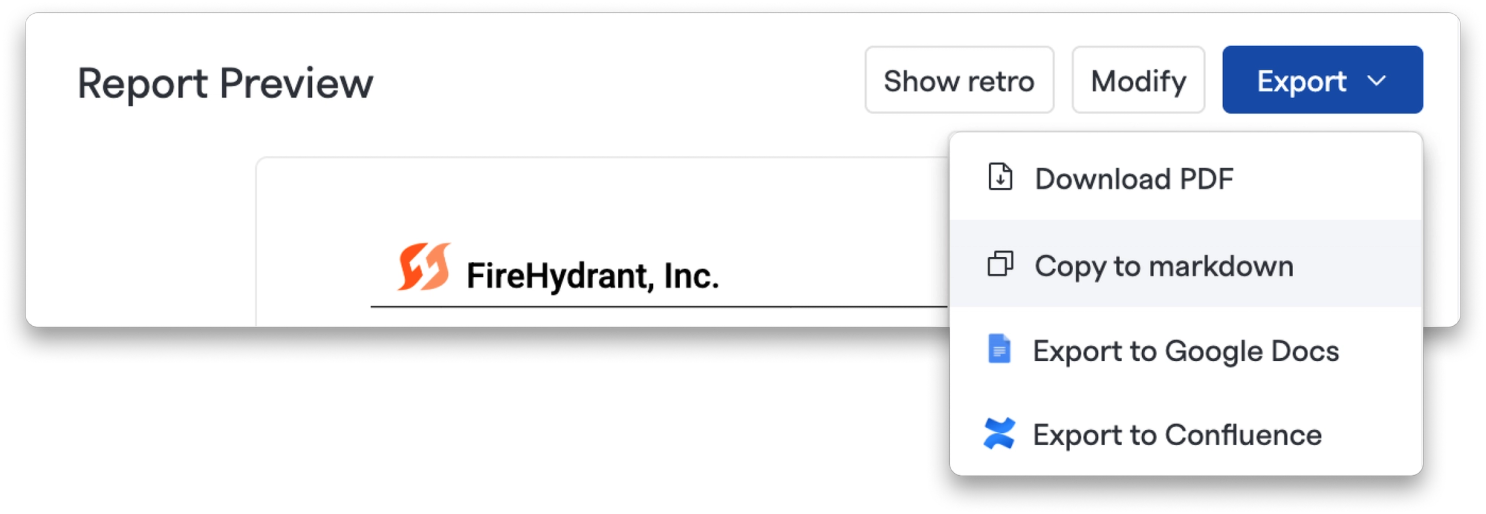
You can now export your full retrospective report as markdown directly to your clipboard — no Google Docs or Confluence integration required. Just open the Export menu on any retrospective and select "Copy to markdown." It's a quick way to drop a polished post-incident summary wherever you need it.
💅 Improvements#improvements
- Granular API key permissions for private incidents: Write access and private incident access are now independent toggles — you can create write-enabled API keys that are explicitly blocked from viewing private incidents.
- Heartbeat interval limit extended to 24 hours: You can now set heartbeat expected intervals up to 24 hours in the UI — previously the UI capped at 60 minutes even though the backend already supported longer durations.
🐛 Bug Fixes#bug-fixes
- Custom fields can now be cleared on incidents: Deleting the value from a custom field and saving now correctly clears it instead of reverting to the previous value.
- Team assignments on Incident Types now save correctly: Teams added to an Incident Type were previously dropped silently on save — that mapping is now correctly included when the form is submitted.
- Retro report save errors now surface properly: In some cases, saving a modified retrospective report would fail silently due to bad question IDs. You'll now see an error toast so you know when something went wrong.
- Back button fixed on analytics pages: Navigating to Teams, Services, or Audit Log analytics pages no longer breaks the browser's back button after setting default date range params on load.
- Alert list respects date range when navigating from analytics: When clicking into the alert list from the Alert Analytics Heat Map or Team Analytics Alerts widget, the selected date range is now correctly carried over.
- Back button fixed in Retrospectives: The browser back button now works correctly from Retrospective views, and tabbing between Retrospective and Incident Details no longer creates an infinite back-button loop.
- Claim Shift modal now shows the rotation's timezone: The date pickers in the Claim Shift modal were always showing times in your browser's local timezone — they now correctly reflect the rotation's configured timezone.
- Status page emails no longer send unexpectedly: Two bugs with Nunc status pages have been fixed: editing a milestone's timestamp no longer re-sends a "incident resolved" email, and events scoped to the internal team status page no longer email external public subscribers.
- Mobile app SSO authentication fixed: SSO logins on mobile were failing due to timing issues with the OAuth redirect flow. The auth flow has been stabilized to correctly handle the longer SSO redirect.
That's all for this changelog! As always, if you have any questions or feedback, our team is here to help.
See FireHydrant in action
See how our end-to-end incident management platform can help your team respond to incidents faster and more effectively.