Hey there, firefighters 🧑🚒 Here's what we've recently shipped for you:
🔍 See Who (or What) Created Every Alert#see-who-or-what-created-every-alert
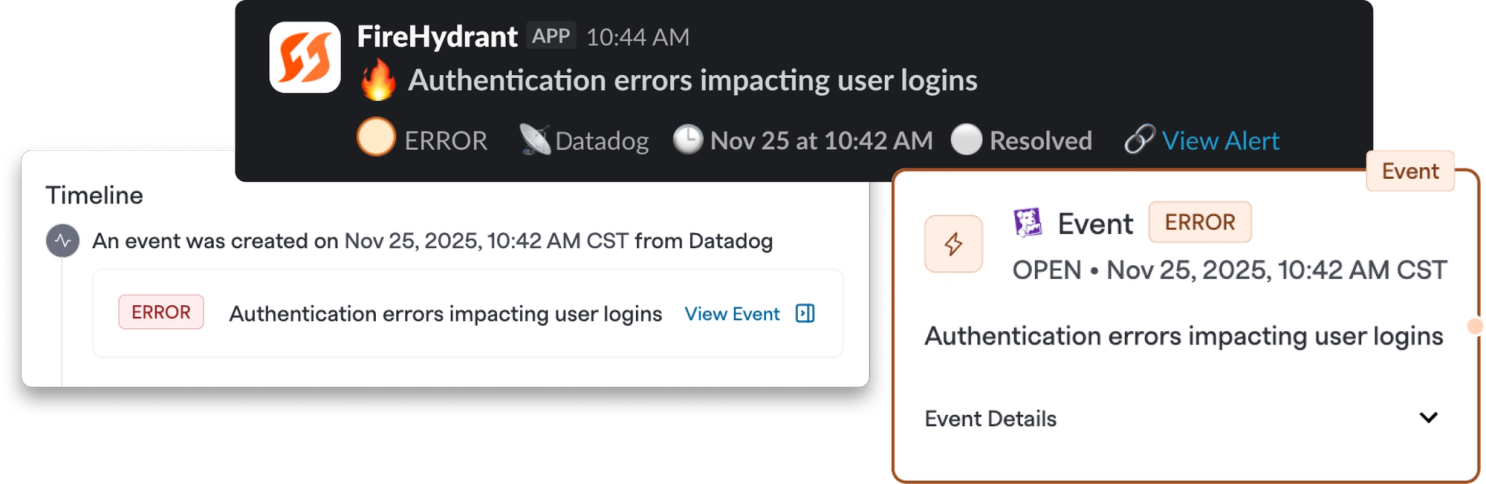
You can now see exactly who or what created an alert, giving you better context and transparency in your alerting workflow.
What does this mean for you?
- Manually-paged alerts now display the actor's name who triggered the page
- Transposer-based alerts show which transposer created the alert
- Visible everywhere: Alert creator information appears in Slack notifications, the signals list, alert visualization, and alert timeline
This visibility helps you quickly understand the source and context of your alerts, making it easier to track down issues and improve your alerting workflows.
🎯 Assign Roles to Alert Acknowledgers#assign-roles-to-alert-acknowledgers
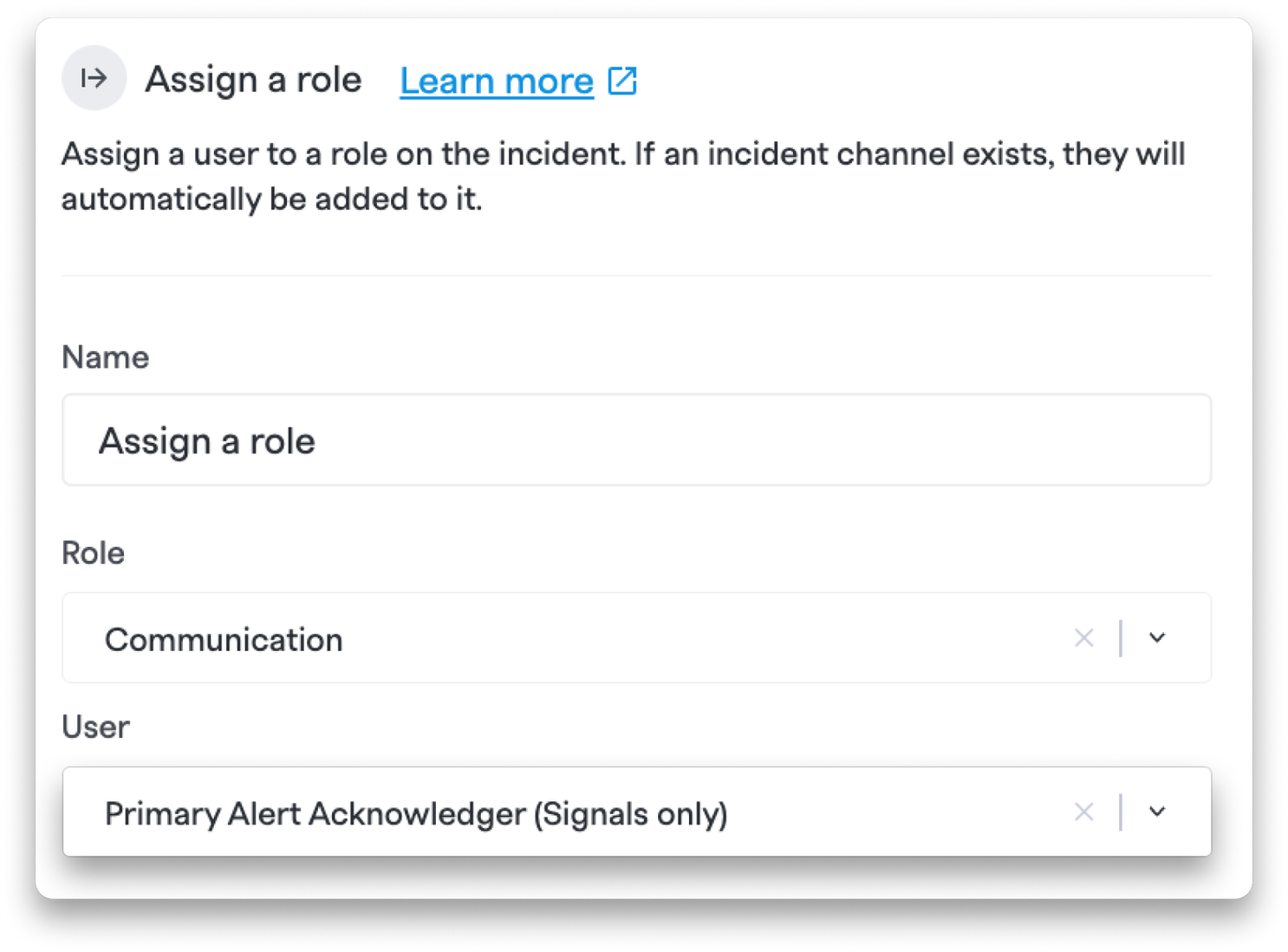
You can now automatically assign incident roles to the person who acknowledged the alert—not just who opened the incident. This new runbook option gives you more control over role assignment based on actual alert response.
What does this mean for you?
- New "Primary Alert Acknowledger (Signals only)" option in the runbook "Assign a Role" step
- Automatically assign roles to the user who acknowledged the primary Signals alert
This is particularly useful when alerts are acknowledged by on-call responders before an incident is formally opened, ensuring the right person gets the right role from the start.
💅 Improvements#improvements
- Private Incident Communications Channels: You can now configure a setting to create private Slack communications channels for private incidents. This new admin-controlled flag ensures sensitive incidents can still leverage communications workflows without leaking information.
- OR Match Type Support in Alert Grouping: Alert grouping now supports OR match types in the UI, giving you more flexible options for how alerts get grouped together.
- Markdown Rendering in Description Fields: Description fields in sidebars now properly display markdown formatting, making your documentation more readable and organized.
- Improved Milestone Validation: We've enhanced milestone validation across multiple areas to prevent invalid date entries. You can no longer submit resolved incident forms with inconsistent timestamps, and runbook reconciliation windows have been extended to better support your workflows.
🐛 Bug Fixes#bug-fixes
- Fixed an issue where saving searches in Alert Analytics would fail. You can now save and manage searches without issues.
- Reduced Slack notification spam by preventing automatic @-mentions when users open incidents or post updates. You'll no longer get pinged for every thread reply.
- Fixed Terraform provider issues related to rotation member management and auto-responding team configuration.
- Removed unnecessary scrolling behavior on certain team tabs, making them full height for a cleaner, more intuitive browsing experience.